
So implementing WDS on an exsisting network should go fairly easy. But at work I fought this for a few hours. So I thought I’d share.
Create Server, Add to domain, etc…
Install WDS Role.
Accept all defaults for adding the role.
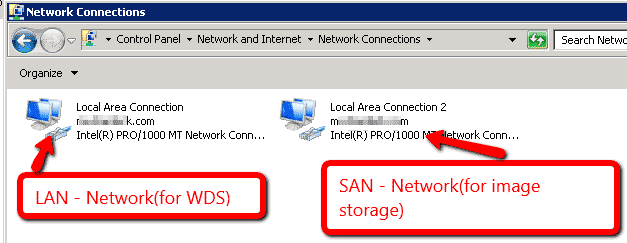
If you are attaching iSCSI directly, in our case we will need to add in another virtual NIC/NIC (WDS/TFP does NOT PLAY NICE WITH TWO ADDRESSES ON ONE ADAPTOR) This was the solution to my PXE-E32 error/TFTP Timeout/Proxy Timeout 4011 Errors.
Set the addresses.
 Configure the DHCP Server
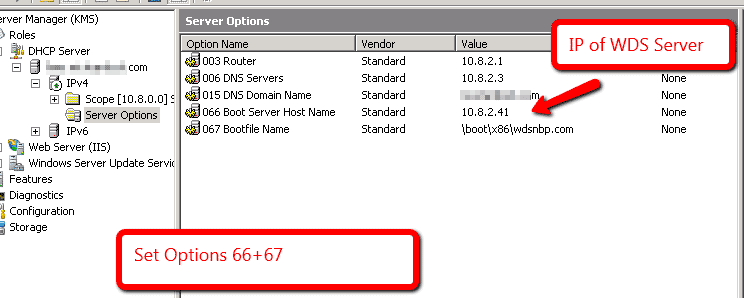
Set option 67 to above… You will see many other recommendations online…this one works for me.
Configuring WDS –
When configuring WDS will ask you to add a boot image… point it to the windows 2008 r2 disc root. It will pull the files needed to boot your computer.
You can then add deployment images/drivers through the GUI
And Finally
Through Admin CMD
WDSUTIL /Set-Server /BindPolicy /Add /Address:<IP or MAC address> /AddressType:{IP|MAC}
WDSUTIL /Set-Server /BindPolicy /Policy:Include
WDS Issues with Windows Server 2008 R2
Leave a reply