Category Archives: Tech

Veeam 6.1 + vCenter Server 5.1

Recently I upgraded my non-critical hosts to vCenter/ESXi 5.1. I learned quickly Veeam 6.1 was not supported.

I’ve inherited Veeam as our virtualization backup solution. After all, its automated, has deduplication, compression, reporting and can make archives(Veeamzip). What more could I ask for?

After upgrading Veeam kept throwing errors – Backup console is not compatible with proxy ‘<servername>’. Backup server version: ‘6.1.0.181’. Job has failed. See logs for details.
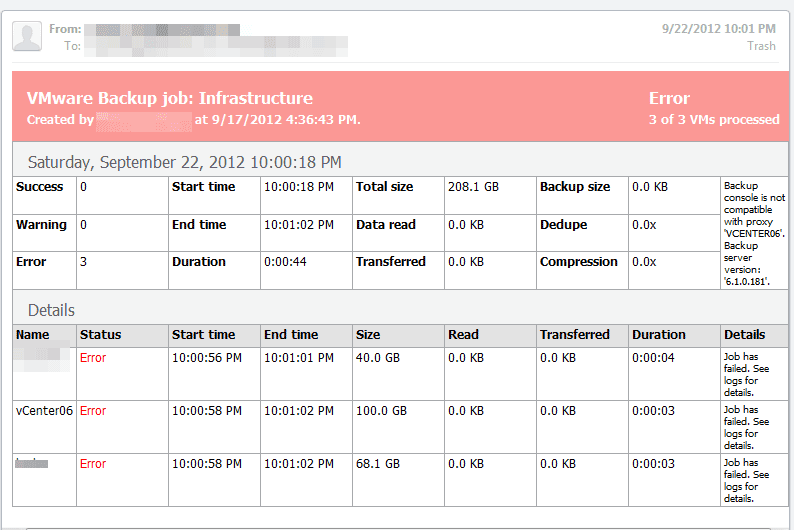
From what I read on the Veeam forums, the fix will be released in Veeam 6.5. Which isn’t available yet.  But I found a workaround, not the best solution, but seems to work okay.

  • Remove your vCenter server from Veeam
  • update to the latest Veeam 6.1 patch
  • add in each host, NOT the vCenter server
  • Adjust backup jobs

Again, probably not the best solution as Veeam is no longer vMotion ‘aware’ but it appears to run/complete backups again.
P2V is (sort of) Evil

I love virtualization and all the perks of it. I would hate to have to manage as many physical boxes as I do virtual machines. After all, how easy it is to manage/balance/upgrade/deploy solutions to meet the needs of my environment.
But is P2V (physical to virtual) really a curse more than a blessing? For example, I have many virtual boxes here that used to be physical that should have been decommissioned and replaced with new solutions. Because they are virtual we have just learned to accept that they are doing the job and are good enough. This for me has lead to many overlaps in systems and is just starting to get overgrown.
I’m not saying its my predecessors fault, because I would have and have done the same thing. After all its easy, and its really cool. I’m saying in the long run it may be more of a band-aid, leads to unnecessary virtual servers and just buy you time to procrastinate.
The next revelation for me is to combine services. I don’t need a server just to run WDS or WSUS, it’s just a waste of software licenses.

vSphere ESXI 5.0 to 5.1 Upgrade

Today I started upgrading my hosts to 5.1 from 5.0. I have yet to find a quick guide on upgrading. First, I can’t drive out to my datacenter and spend a day there to upgrade the hosts, so I need to do it remotely. Also I don’t really know the esxi terminal really well, so this solution will use the update manager plugin.  I have a smaller vmware environment, about 15 hosts so this worked for me.
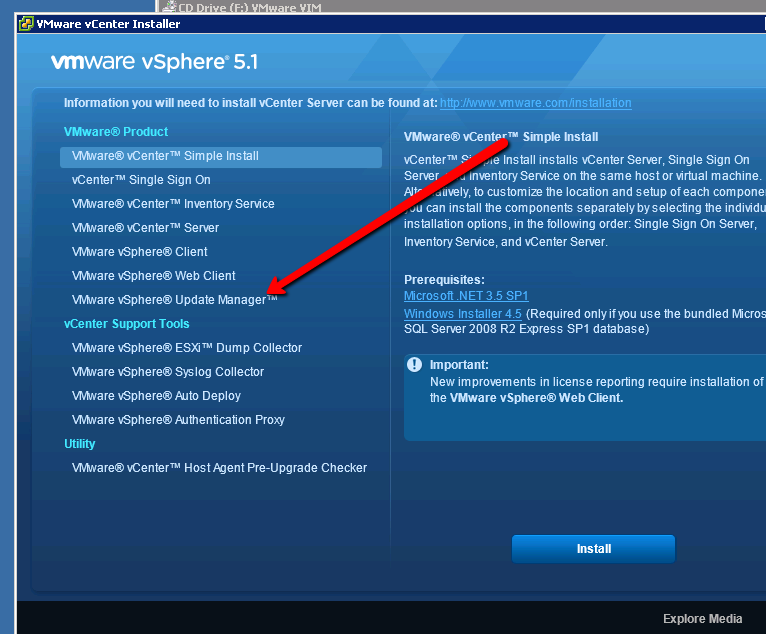
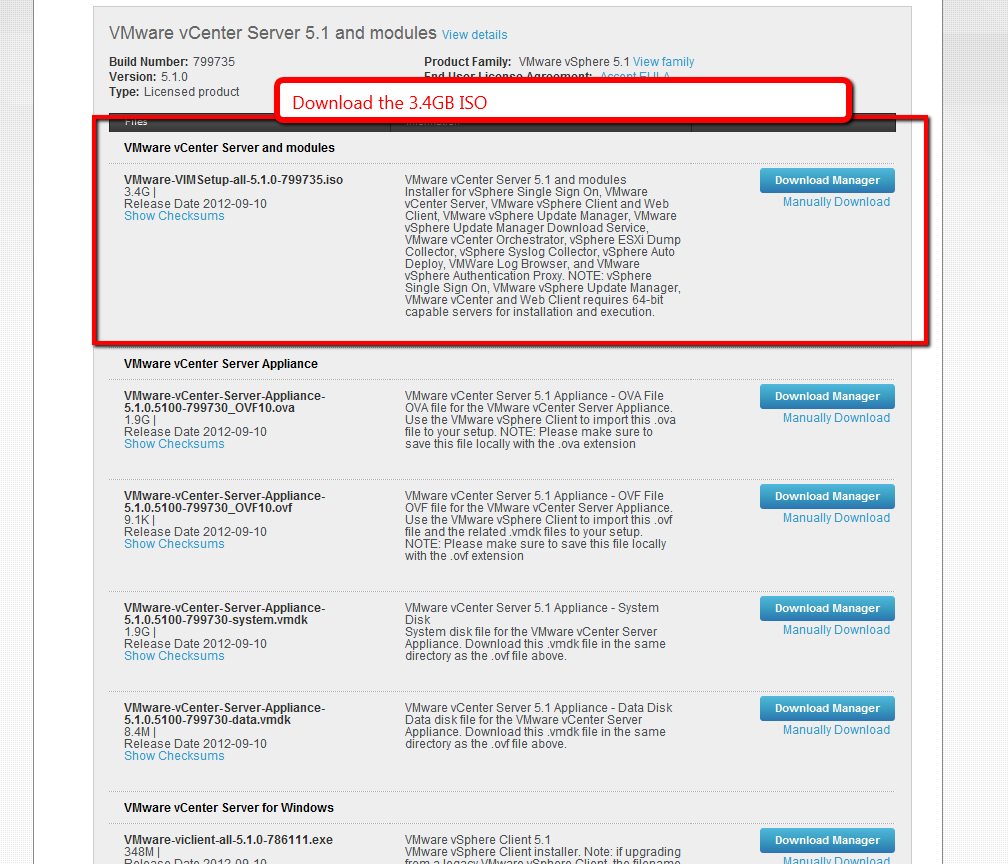
First download VMware-VIMSetup-all-5.1.0-799735.iso. The 3.4GB iso. Move it to your machine or vm that runs vCenter Server and mount it.

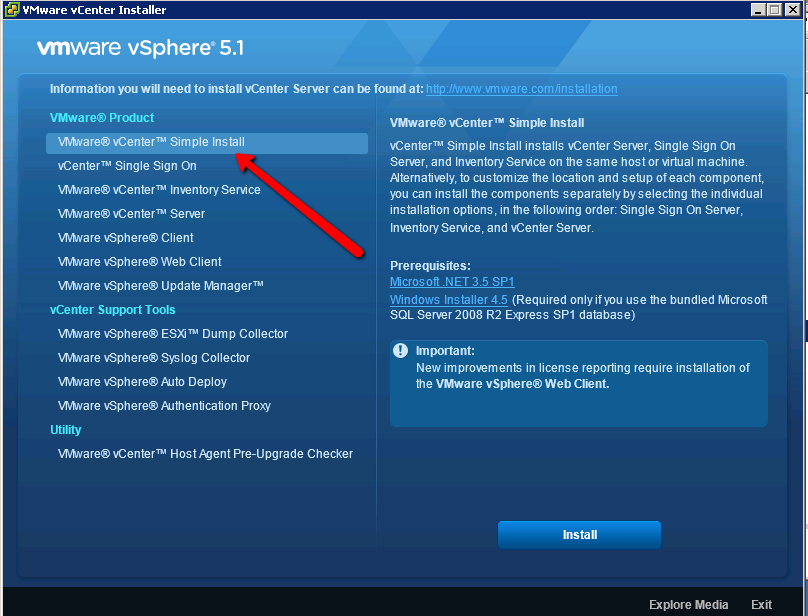
Run the simple installer. It will throw a bunch of warnings, it scared me, but I accepted the defaults and clicked through. The installer will prompt for a new password. I’m not entirely sure what this is used for.  The installer will take about 20-40 minutes depending on if its installing SQL. Then you want to install the update manager

Now you are finally ready to import the 5.1 image.
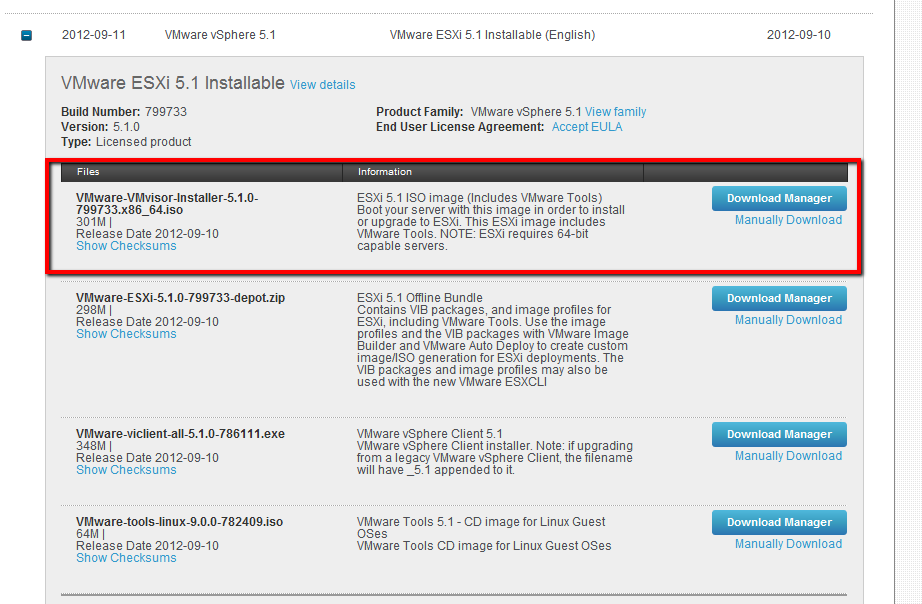
If you haven’t downloaded it – VMware-VMvisor-Installer-5.1.0-799733.x86_64.iso.

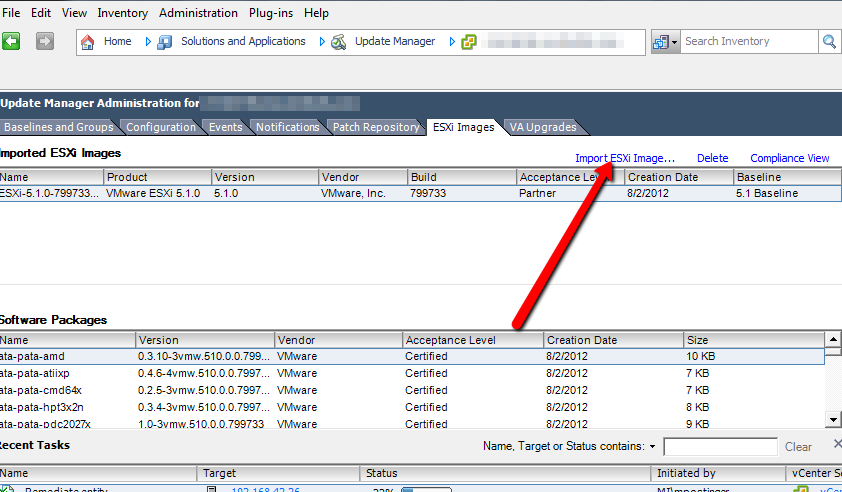
You want to upload the iso to the update manager like this…

Then you can attach and remediate as normal, your host will be upgraded to 5.1

Domain name for a decade

I’m up late and was just looking over the stats of my page, and decided to do a whois on postinger.com
I’ve owned the domain and had a page up in some form for a decade now. That’s kind of neat. August 9 2002 is when I registered postinger.com. I was 15 at the time and I’ve had some sort of blog/about me/photos up ever since. During college I didn’t have much time to put into it, but now I try to update more often.
I’ll never let it lapse. You pass domain names down through generations, right?